 Tecnon Smart Display Technology Shenzhen Co., Ltd.
 Introduction
Before a meeting, do you waste valuable time dealing with adapters, dimming the lights for a blurry projector, or squinting at a screen broken up by thick black borders? This common frustration is more than just an inconvenience—it directly affects productivity and professionalism. The visual technology in your conference room should support collaboration, not get in the way. The All-in-One LED Display for Conference Room effectively solves this problem. It replaces the clutter and complexity of traditional setups with a single, powerful, and easy-to-use visual solution. By integrating the entire system into one sleek, unified cabinet, it delivers a seamless display that’s ready to work the moment you need it.
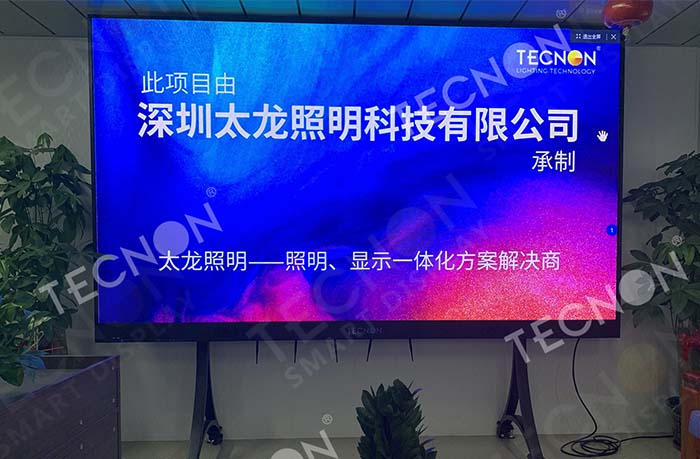
Why Traditional Conference Room Displays Fall Short
- The Projector Problem: Dim images in lit rooms, constant maintenance (lamps, filters), color fading, and large, intrusive shadows.
- The LCD Video Wall Hassle: Thick, distracting bezels that break up content, color matching issues between panels, and limited size flexibility.
- The Modular LED Complexity: While visually stunning, traditional modular LED walls require complex framing, external processors, and meticulous on-site calibration—making them expensive.
4 Benefits for Your Conference Room
1. Instant, Frustration-Free Collaboration
The core promise of an all-in-one conference room display is simplicity. With components pre-integrated into sleek, uniform cabinets, setup is remarkably fast. Many systems support wireless presentation technology and one-cable connectivity (like USB-C with power, video, and data), allowing anyone in the room to share their screen in seconds. This “walk up and present” experience keeps the focus on your content, not your cables.
2. A Truly Immersive, Bezel-Free Canvas
For presentations, video conferences, and data analysis, a seamless view is critical. The ultra-narrow joins of an all-in-one LED screen create a virtually borderless canvas. This seamless display ensures clear, smooth visuals without distractions, greatly enhancing the meeting experience.
3. Professional Polish That Impresses
All-in-One LED screens combine all functions into one system. With simple cable management and a sleek appearance, they create a clean, orderly visual environment free from clutter.
4. Lower Long-Term Costs & Easy Upkeep
For you, this means worry-free, time-saving, and cost-effective operation. An ultra-long lifespan of up to 100,000 hours ensures reliable long-term use and reduces replacement costs. The front-maintenance design allows for fast and easy servicing, minimizing downtime.
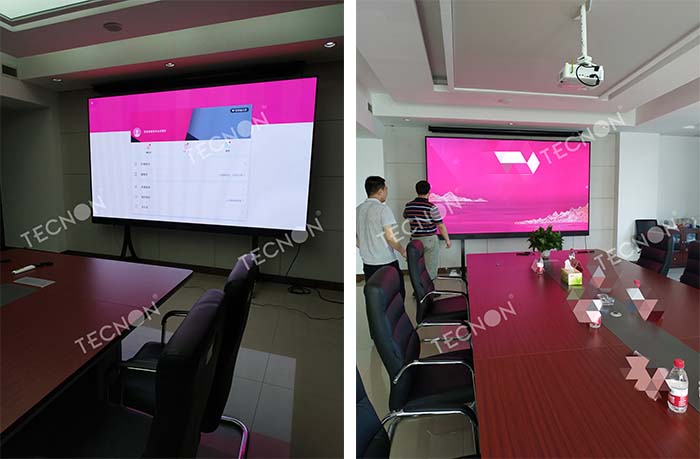
The Ideal Specifications for a All-in-One Conference Room LED Display
Choosing the right system involves matching specs to your room’s specific needs:
- Pixel Pitch: This determines image sharpness. For typical conference room viewing distances of 6-15 feet, a P1.2 to P1.5mm pixel pitch delivers a perfectly sharp, “retina” quality image where individual pixels are indistinguishable.
- Brightness & Anti-Glare: Opt for a brightness of 600-1000 nits. This is ideal for rooms with controlled lighting, providing vibrant images without causing eye strain. A matte surface treatment helps reduce reflections from windows or overhead lights.
- Seamless Integration: Ensure the system supports your room’s tech ecosystem. Look for built-in HDMI, USB-C, and wireless connectivity (like Miracast/AirPlay). Compatibility with your existing video conferencing systems (Zoom Rooms, Teams) is essential.
- Stand Stability & Mobility: The stand is as important as the screen. Ensure it has heavy-duty, lockable casters for smooth movement and stability when parked. A low center of gravity and sturdy construction are essential for safety.
- Setup & Control Simplicity: An intuitive, onboard control panel or a dedicated remote (or even mobile app) should allow anyone to power on, select inputs, and adjust volume without training.
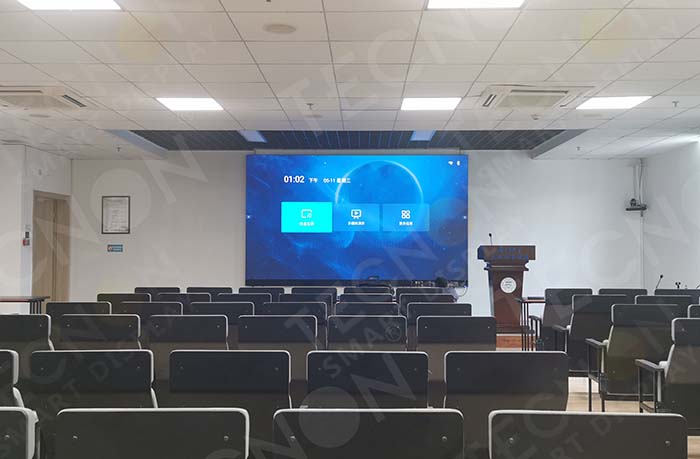
Optimal Use Cases for Your Mobile Display Hub
- Multi-Purpose Room Master: Transform a blank space into a premium presentation, training, or video conferencing room on demand.
- Client & Event Flexibility: Roll out stunning visuals for client pitches, town halls, or product launches in any venue space.
- Agile Project Teams: Create temporary war rooms or design review stations that can be reconfigured as projects evolve.
- Backup & Overflow Solution: Provide a high-quality backup for fixed installations during maintenance or serve overflow crowds during all-hands meetings.
Ready to Unleash Flexible, Professional Visuals?
Stop compromising between quality and flexibility —— All-in-One LED Display for Conference Room. Contact our mobile solutions specialists today to discuss your needs, see a virtual demo, and get a detailed quote for the display that moves with your business.